



Sitecore to WordPress Migration: A Complete Enterprise Guide
Plan your Sitecore to WordPress migration with guidance on content mapping, architecture, costs, integrations, SEO, testing, and launch.

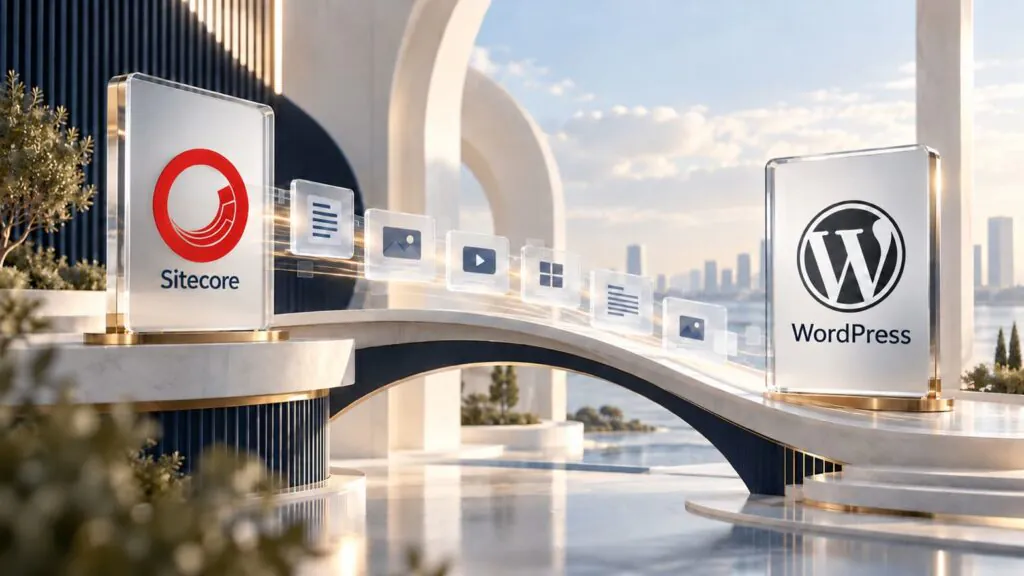
A Sitecore to WordPress migration involves moving content, rebuilding presentation components, and adapting integrations to a new architecture. The goal is to preserve essential business capabilities while improving the cost, usability, and maintainability of the website.
This requires more than exporting pages. Personalization, forms, permissions, languages, and relationships between content items all need a defined destination.
Before committing to a migration, establish what your organization uses today, what needs to improve, and what the replacement platform will cost over its operating life.
This guide explains the decisions, technical stages, and validation requirements involved in moving from Sitecore to WordPress.
When does migrating from Sitecore to WordPress make sense?
Migration can be appropriate when an organization needs greater editorial independence, a simpler architecture, or a better balance between platform spending and the capabilities it actually uses.
Common reasons include:
- Routine marketing changes require development work.
- Licensed capabilities are rarely used.
- Maintenance costs exceed the available budget.
- Customizations depend on a small group of specialists.
- Multiple brands need a more consistent operating model.
- An upcoming platform change already requires substantial rebuilding.
Remaining on Sitecore can also be a sound decision. Organizations with effective personalization, established integrations, and measurable returns should evaluate the cost of replacing those capabilities.
Build the business case using your requirements, contracts, and operating data.
What should you audit in the existing Sitecore environment?
Record the Sitecore version, deployment model, and products in use before estimating the project.
Separate content management from related services such as search, digital asset management, customer data, and personalization.
The audit should cover:
- Templates, fields, and content inheritance.
- Renderings, components, and data sources.
- Content shared across multiple pages.
- Languages, versions, and fallback behavior.
- Approval workflows and permissions.
- Forms and automated processes.
- External integrations.
- Applications consuming CMS content.
- Public URLs, documents, and media.
A single public page may depend on several internal items. URL counts alone do not describe migration complexity.
What moves, and what needs rebuilding?
Text, images, documents, and structured records can be transferred when appropriate extraction methods and access are available.
Platform-specific code requires separate assessment. Rendering logic, application behavior, and integrations may need rebuilding or replacement.
| Source element | Possible WordPress destination | Main consideration |
|---|---|---|
| Corporate page | Page | Preserve purpose, content, and URL |
| Repeatable content | Custom post type | Define fields and relationships |
| Classification | Taxonomy | Preserve hierarchy and associations |
| Visual component | Block, pattern, or custom component | Support the required editing behavior |
| Item reference | Relationship or resolved link | Translate source identifiers |
| Media asset | Media library or integrated DAM | Preserve files and references |
| Translation | Associated multilingual content | Validate relationships and URLs |
| Personalization rule | Service, integration, or custom implementation | Define functional requirements |
These are architectural options, not automatic one-to-one conversions. A Sitecore template does not necessarily need to become a WordPress custom post type.
Which WordPress architecture should you choose?
Integrated WordPress
An integrated implementation manages content and presentation within a coordinated application.
Approved blocks and patterns can give editors flexibility while preserving design consistency. Define which elements editors can change and which require restrictions.
Headless WordPress
A headless implementation separates the CMS from the presentation application.
It may suit independent applications or multiple delivery channels. Evaluate previewing, caching, search, forms, redirects, and the maintenance of both layers.
Headless architecture needs an operational justification. It does not automatically produce a faster website.
Multisite or separate installations
Multisite can centralize administration across several websites. It does not automatically provide multilingual content management or content sharing.
Separate installations can provide greater operational independence. Choose according to governance, infrastructure, and brand requirements.
The Sitecore to WordPress migration process
1. Establish goals and baseline measurements
Record organic traffic, conversions, priority pages, performance, and editorial publishing time.
Translate goals into acceptance criteria. For example, editors should be able to publish a campaign page using approved components without developer involvement.
2. Inventory and classify content
Combine CMS records, website crawling, analytics, and Search Console data.
Classify content for retention, revision, consolidation, or removal. Low traffic alone is not a sufficient reason to delete a page with contractual, sales, or support value.
3. Create a data mapping specification
Document source fields, destination fields, transformations, and validation rules.
Retain source identifiers to resolve relationships and support repeatable imports. Re-running an import should not create duplicate records.
4. Test extraction with a representative sample
Available methods depend on the Sitecore version and access permissions. APIs, serialization, and custom routines may contribute to extraction.
An export format should not be assumed to be directly importable into WordPress.
Test simple pages, complex layouts, translations, documents, relationships, and shared components before processing the full dataset.
5. Build the destination and migrate in batches
Implement the content model before the full import.
Validate record counts, required fields, links, media, and relationships. Keep error logs and exception reports so failed records can be corrected and processed again.
6. Rebuild integrations and editorial workflows
Test complete journeys. A form is not validated until its data reaches the correct destination with the expected fields.
Check authentication, permissions, search, notifications, analytics, and conversion events.
7. Plan the final content update and launch
Decide how to handle content edited during development.
A delta import can incorporate changes made after the initial migration. If an editorial freeze is necessary, define its duration, scope, and owners.
How do you protect SEO during migration?
Preserve existing URLs where practical. Map every changed URL to a relevant destination.
| URL situation | Planned treatment |
|---|---|
| URL remains unchanged | Preserve a valid response and matching content |
| URL changes | Permanent redirect to the equivalent page |
| Content is consolidated | Redirect to a destination satisfying the original intent |
| Content is removed without replacement | Evaluate an appropriate 404 or 410 response |
| PDF or image receives traffic | Preserve its address or define specific handling |
Review page titles, descriptions, canonical tags, internal links, structured data, and language relationships.
At launch, remove staging-only indexing restrictions, validate the sitemap, and monitor Search Console.
Traffic and ranking fluctuations can occur. Planning reduces risk but cannot guarantee unchanged rankings.
How much does a Sitecore to WordPress migration cost?
A complete budget includes discovery, development, data migration, content review, testing, training, infrastructure, and ongoing maintenance.
A three-year comparison can use:
TCO = implementation + migration + parallel operation + 36 months of recurring costs + anticipated exceptional costs.
Compare equivalent scopes. A WordPress proposal that excludes search, personalization, or support may not represent a like-for-like saving.
Editorial productivity and campaign delivery time can also contribute to the business case. Document the assumptions behind those benefits.
How long does the migration take?
Duration depends on components, relationships, languages, integrations, and approval requirements.
A smaller website with complex business logic may require more work than a large, standardized content library.
Request a schedule with defined deliverables for discovery, architecture, pilot migration, development, full import, acceptance testing, and launch.
What should acceptance testing include?
| Area | Example acceptance criterion |
|---|---|
| Content | Records reconcile with the approved inventory |
| SEO | Priority URLs and redirects pass validation |
| Integrations | Critical journeys succeed through the destination system |
| Editing | Editors complete agreed publishing tasks |
| Performance | Targets are assessed under defined conditions |
| Operations | Backups, restoration procedures, and ownership are documented |
A rollback plan must account for information received after launch. Restoring an earlier environment without reconciling new leads or edits can lose data.
Frequently asked questions
Is there a plugin that handles the entire migration?
Do not assume a universal tool exists. Importers can support the process, but extraction, transformation, components, and integrations remain project-specific.
Can we keep the current design?
Yes, provided the presentation is rebuilt and validated within the destination architecture.
Does analytics history migrate into WordPress?
Existing history remains subject to the analytics platform and account configuration. Adding a tracking tag does not transfer historical data stored in Sitecore.
Will WordPress be faster?
Performance depends on implementation, infrastructure, and external services. Compare equivalent pages under similar conditions.
When can we decommission Sitecore?
After meeting technical and operational acceptance criteria, reviewing retention and contractual requirements, and confirming that the replacement environment is stable.
Plan your migration with WebOption
A successful Sitecore to WordPress migration connects technical decisions with editorial workflows and business objectives.
WebOption can support the assessment, architecture, and transition planning, with attention to SEO, performance, and editorial independence.
Request an analysis
Free technical diagnosis of your Sitecore migration
Reply within 24h · NDA available · BR + INTL